

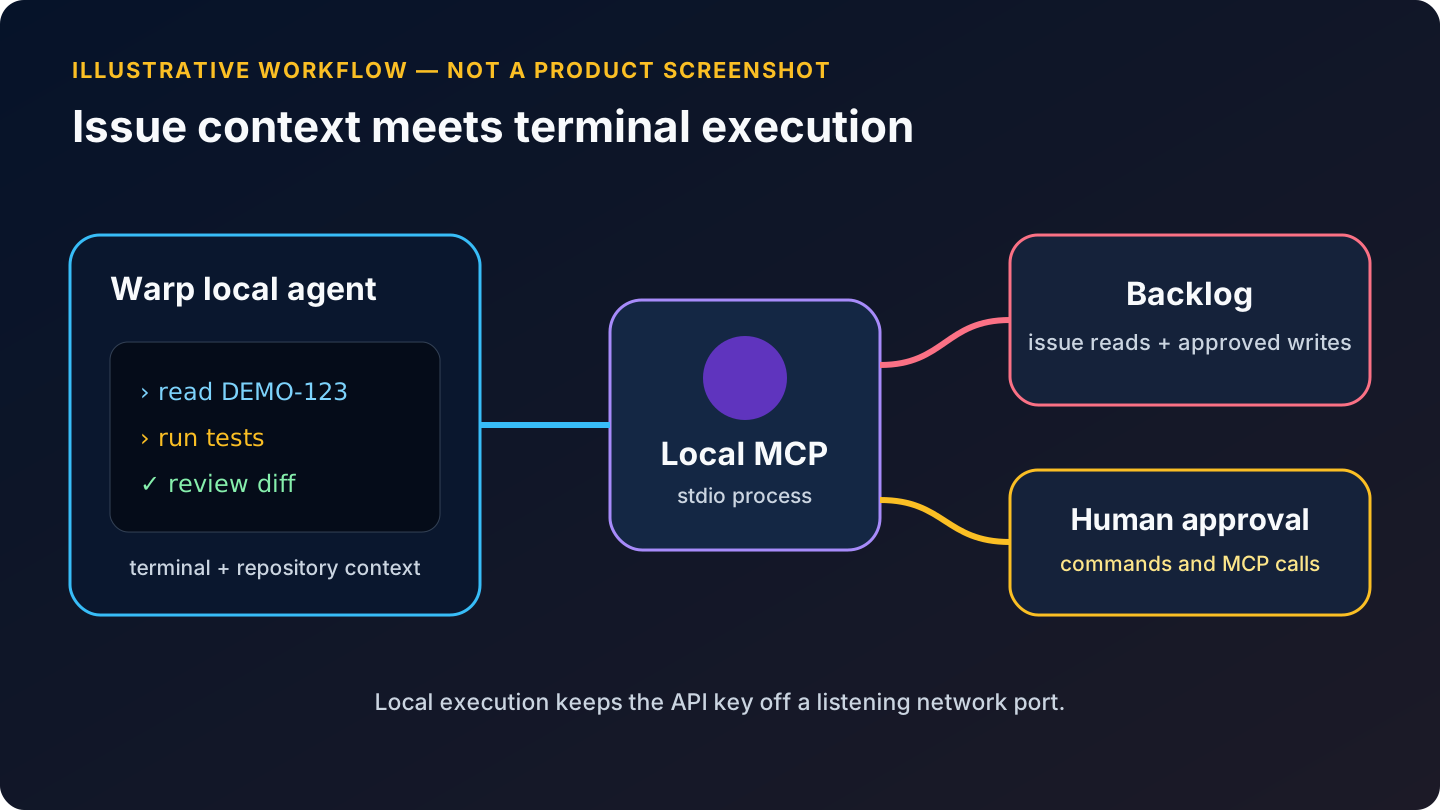
Warp’s local agents can combine terminal access, repository context, and MCP tools in one conversation. With Backlog MCP, the agent can retrieve the ticket that explains why a command or code change is needed, then use Warp’s terminal and review surfaces to do the local work.
Verified: September 2, 2026 against Warp’s documentation updated August 28, 2026. Warp’s settings navigation and file-based MCP behavior changed substantially during 2026.
Prepare Backlog and Node
Create an API key in Backlog under Personal Settings → API and label it for this Mac. Confirm Node.js 22 or later and locate npx:
node --version
command -v npx
Apple-silicon Homebrew normally returns /opt/homebrew/bin/npx. Use the real path from your machine.
Option A: add Backlog in Warp’s UI
Open the MCP page from any of these current paths:
- Settings → Agents → MCP servers
- Warp Drive → Personal → MCP Servers
- Command Palette → Open MCP Servers
Click + Add and paste:
{
  "mcpServers": {
    "backlog": {
      "command": "/opt/homebrew/bin/npx",
      "args": ["-y", "backlog-mcp-server@0.20.0"],
      "env": {
        "BACKLOG_DOMAIN": "YOUR-SPACE.backlog.com",
        "BACKLOG_API_KEY": "YOUR_BACKLOG_API_KEY",
        "ENABLE_TOOLSETS": "space,project,issue"
      }
    }
  }
}
Warp accepts configurations copied from most MCP clients. Start the server from its row. A running server displays its tools and resources and will start again on the next Warp launch; a server you stop remains stopped.
Option B: use Warp’s file-based MCP configuration
Warp now reads:
- Global:
~/.warp/.mcp.json - Project:
.warp/.mcp.jsonat the repository root
The same JSON wrapper shown above works in either file. Global Warp servers auto-spawn by default. Project-scoped servers require explicit approval and must be toggled on per session, which protects you from a cloned repository silently starting a command.
You can also invoke Warp’s built-in /agent-add-mcp skill and review the proposed file change. Do not approve a configuration you have not inspected—an MCP entry is permission to run a local executable and send data to another service.
Warp can detect definitions from some third-party agent providers when the corresponding toggle is enabled. For a tutorial, prefer the native .warp/.mcp.json location so ownership is obvious and behavior does not depend on another tool’s configuration.
Verify the server and logs
Start with:
Use Backlog MCP get_myself and get_space. This is read-only; do not call any
add, update, or delete tool.
Then retrieve a known issue:
Read DEMO-123 and all its comments. Report the title, status, assignee,
acceptance criteria, and unresolved questions. Do not run commands yet.
Warp shows available tools on the running server. If startup fails, choose View Logs from the MCP server page. On macOS the files live under:
~/Library/Group Containers/2BBY89MBSN.dev.warp/Library/Application Support/dev.warp.Warp-Stable/mcp
Logs may contain credentials or sensitive issue content. Redact them before sharing.
A terminal-centered Backlog workflow
1. Turn the issue into a command plan
Read DEMO-123 through Backlog MCP, inspect this repository, and propose a
terminal-first implementation plan. Map each acceptance criterion to files,
commands, and tests. Do not modify code or Backlog.
2. Execute with visible checkpoints
Implement the approved plan. Run the smallest relevant test after each logical
change, then the affected suite. Do not update Backlog. Stop if a command would
touch production, shared infrastructure, credentials, or irreversible data.
Warp’s strength here is the continuity between context and execution: the agent can read the ticket, run a formatter or test, inspect the output, and revise the code. That also means permissions matter. Keep command and MCP approvals enabled until the workflow is well understood.
3. Review before write-back
Summarize the final diff and test results. Draft a Backlog comment for DEMO-123.
Do not post it and do not change issue fields.
After reviewing the exact text:
Post exactly that comment with add_issue_comment. Make no other Backlog change.
This narrow final call is easier to audit than “update the ticket,” which could imply status, assignee, milestone, or other fields.
Local versus cloud agents
This article configures Warp’s local agents. Do not assume the same environment automatically exists in an Oz cloud agent. Warp’s CLI accepts MCP servers for agent runs via --mcp as a saved UUID, inline JSON, or JSON file, and cloud environments need their own secret provisioning. Warp syncs MCP server configuration between signed-in machines but does not sync the environment variables in that configuration.
For a personal Backlog API key, local execution is the safer default. If a team deliberately runs Backlog MCP remotely, use authenticated HTTPS and preferably Backlog OAuth so users do not share one key.
Warp-specific troubleshooting
The server will not start. Use the absolute npx path, confirm Node 22+, and run the pinned package once in Terminal. The -y flag avoids an invisible install prompt.
Warp detects the file but does not run it. Project-scoped servers require manual approval each session. Open Settings → Agents → MCP servers and toggle the detected entry on.
The configuration works on one Mac but not another. Warp does not sync environment variable values. Provision BACKLOG_API_KEY separately and confirm the executable path on each machine.
The tool list is too large or the model picks poorly. Set ENABLE_TOOLSETS to space,project,issue, restart the server, and request exact tools in the prompt.
The server starts after every Warp restart. That is expected for a running global server. Stop it from the MCP page; stopped state persists.
Backlog calls fail but startup succeeds. Verify the hostname format and key, then check whether the authenticated user can see the project. Inspect logs locally without publishing them.
Rate-limit errors appear. Backlog limits requests per user across API keys. Stop parallel agent runs, wait for the reset time, and narrow issue queries.
The agent wants to execute a ticket’s embedded command. Treat issue text as untrusted content. Decline the action, inspect the command yourself, and restate repository and security boundaries.
ソース
- Warp Model Context Protocol documentation
- Warp CLI MCP servers
- Warp AI-integrated objects
- Nulab Backlog MCPサーバー
- Backlog API rate limits
Previous: Part 3 — Using the Backlog MCP Server with PhpStorm and Junie
Series index: Backlog MCP on macOS



会話
最初のコメントを残す